Vision bridge for text-only models: paste an image, get structured JSON evidence (OCR, layout, semantics).
View plugin →  liustack
Deliver images and files straight to text-only models — PDF/Office/archives/videos become attachment blocks and auto-convert to workspace paths on send.
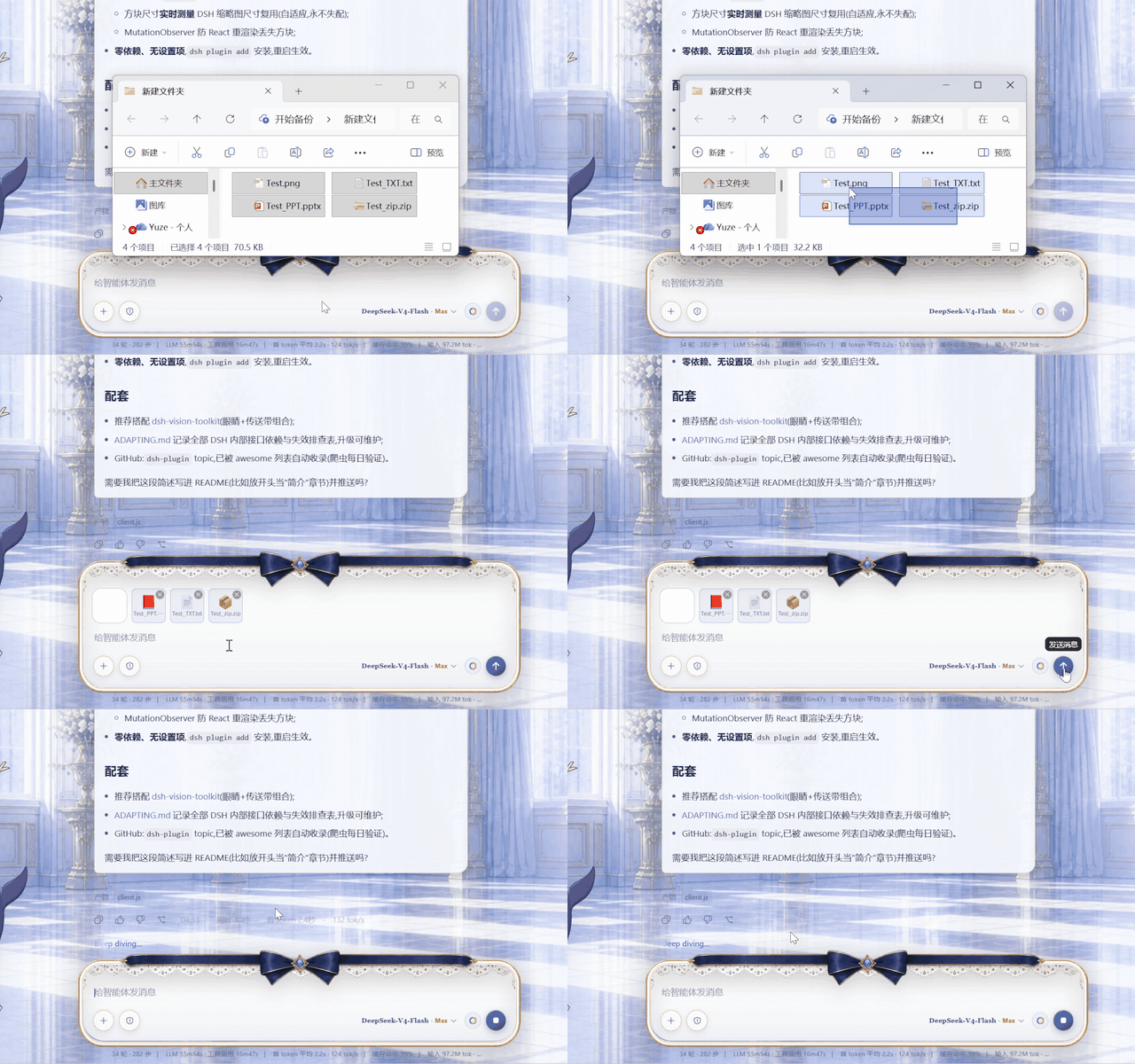
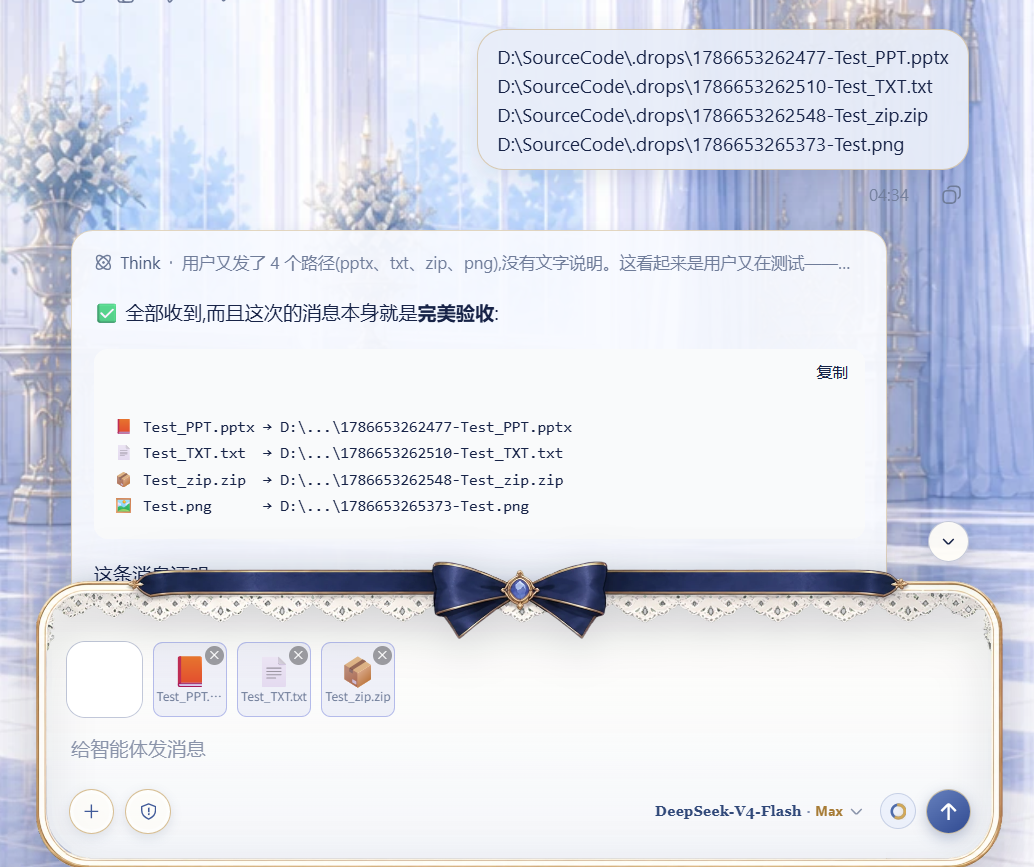

Copy the command below and run it in your DeepSeek Harness terminal.
dsh plugin add github:loudMore/dsh-drop-to-path ⚠️ Plugins run with the permissions of your dsh process and may execute code at install time. Review the source repository and its license before installing. Pin the commit hash for reproducible installs. Plugin safety →
dsh-drop-to-path Drop or paste images, PDFs, office docs, zips, videos and audio into DeepSeek Harness — they reach your text-only model as workspace file paths .
dsh-drop-to-path is a tools & capabilities plugin maintained by loudMore. Deliver images and files straight to text-only models — PDF/Office/archives/videos become attachment blocks and auto-convert to workspace paths on send.
Run dsh plugin add github:loudMore/dsh-drop-to-path in your DeepSeek Harness terminal. The dsh CLI resolves the plugin from GitHub and installs it into your active profile. For reproducible installs, pin a commit hash: dsh plugin add github:loudMore/dsh-drop-to-path#commit.
dsh-drop-to-path is a community open-source project released under the MIT license. You can inspect its source and install it for free.
Vision bridge for text-only models: paste an image, get structured JSON evidence (OCR, layout, semantics).
View plugin → liustack
The ultimate image-uploading engine with both CLI and API support — a household name in the Chinese dev community.
View plugin →  PicGo
PicGo
Give text-only coding agents eyes: image Q&A, long-screenshot OCR, frontend UI restoration and GUI automation, as a vision toolkit plus a skill, with optional drop-in support for Codex, Claude Code and more.
View plugin →  Anionex